
Strawberry Music Player

Read our comprehensive review of Strawberry Music Player, a premier open-source audio organizer designed specifically for audiophiles and music collectors.
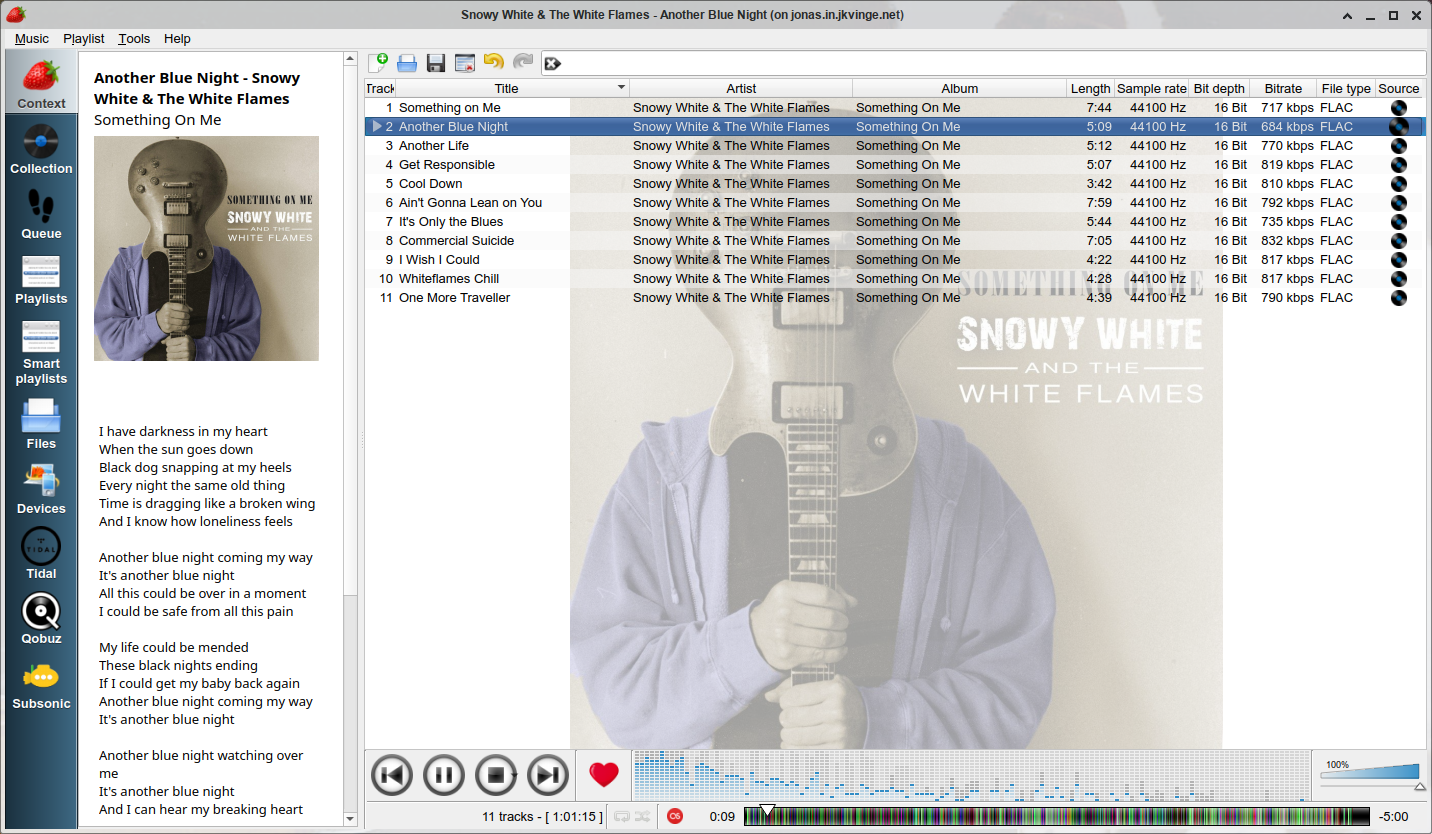
Managing a massive digital audio library requires more than just a basic media player; it demands a dedicated hub that respects audio fidelity and metadata accuracy. The Strawberry Music Player is a highly capable open-source application tailored specifically for music collectors and audiophiles who want complete control over their local collections. Built using C++, the Qt framework, and GStreamer, this robust player provides a highly customizable environment for listening to and organizing your favorite albums on Linux.
Uncompromising Audio Quality and Device Management
For those who prioritize sound quality above all else, the Strawberry Music Player delivers advanced audio output configurations. It supports bit-perfect playback on Linux systems, allowing you to bypass system mixers and send raw audio directly to your external DAC or sound card. Whether you are playing high-resolution FLAC files, standard MP3s, or spinning physical CDs, the engine ensures your music sounds exactly as the artist intended. An integrated audio analyzer and equalizer let you fine-tune the output to match your room acoustics or headphone profile.
Advanced Metadata and Collection Organization
A large music library is only as good as its metadata. This application excels at keeping your files immaculate. You can edit tags on audio files directly within the interface or automatically retrieve accurate tag data from MusicBrainz. To keep your library visually stunning, the Strawberry Music Player automatically fetches high-quality album cover art from a massive array of web sources, including Last.fm, Discogs, MusicBrainz, Deezer, Tidal, Qobuz, and Spotify. Additionally, it can retrieve song lyrics from multiple online providers so you can follow along as you listen.
Smart Playlists and Seamless Streaming Integration
Creating the perfect mix is effortless thanks to flexible playlist management tools that support multiple formats, alongside smart and dynamic playlists that update automatically based on your listening habits. Beyond your local hard drive, this versatile tool acts as a bridge to wider networks. It features built-in scrobbling support for Last.fm and ListenBrainz, direct streaming compatibility with Subsonic servers, and unofficial streaming integration for Tidal, Qobuz, and Spotify. When you need to take your music on the go, you can easily transfer tracks to mass-storage USB players, MTP-compatible mobile devices, and classic iPod models.
Is It Right for You?
If you prefer a lightweight, stream-only player, this might be more robust than you need. However, if you possess a vast local library of high-quality audio files and demand precise metadata, smart playlisting, and advanced hardware output configuration, it is easily one of the finest options available on the platform. To experience this exceptional tool firsthand, head over to the official Flathub store page to get started with your installation.