
Media Downloader
Read our comprehensive review of Media Downloader for Linux. Discover how this versatile tool simplifies video and audio preservation across platforms.
A New Standard for Desktop Content Archiving
While many utility programs force users to choose between simplicity and power, the Media Downloader web video downloader strikes a perfect balance. Developed by Marko Pejić, this Linux-exclusive application addresses a common modern frustration: the inability to reliably archive online media for offline use. Unlike web-based alternatives that are often cluttered with advertisements and security risks, this desktop application provides a clean, secure, and highly customizable environment for managing your digital media library.
The Core Capabilities of Media Downloader
The strength of the Media Downloader web video downloader lies in its comprehensive feature set, designed to handle complex downloading tasks with minimal user intervention. Here is what makes it an essential tool for content curators and offline viewers:
- Massive Platform Compatibility: Easily retrieve media files from hundreds of different websites without needing separate tools for each platform.
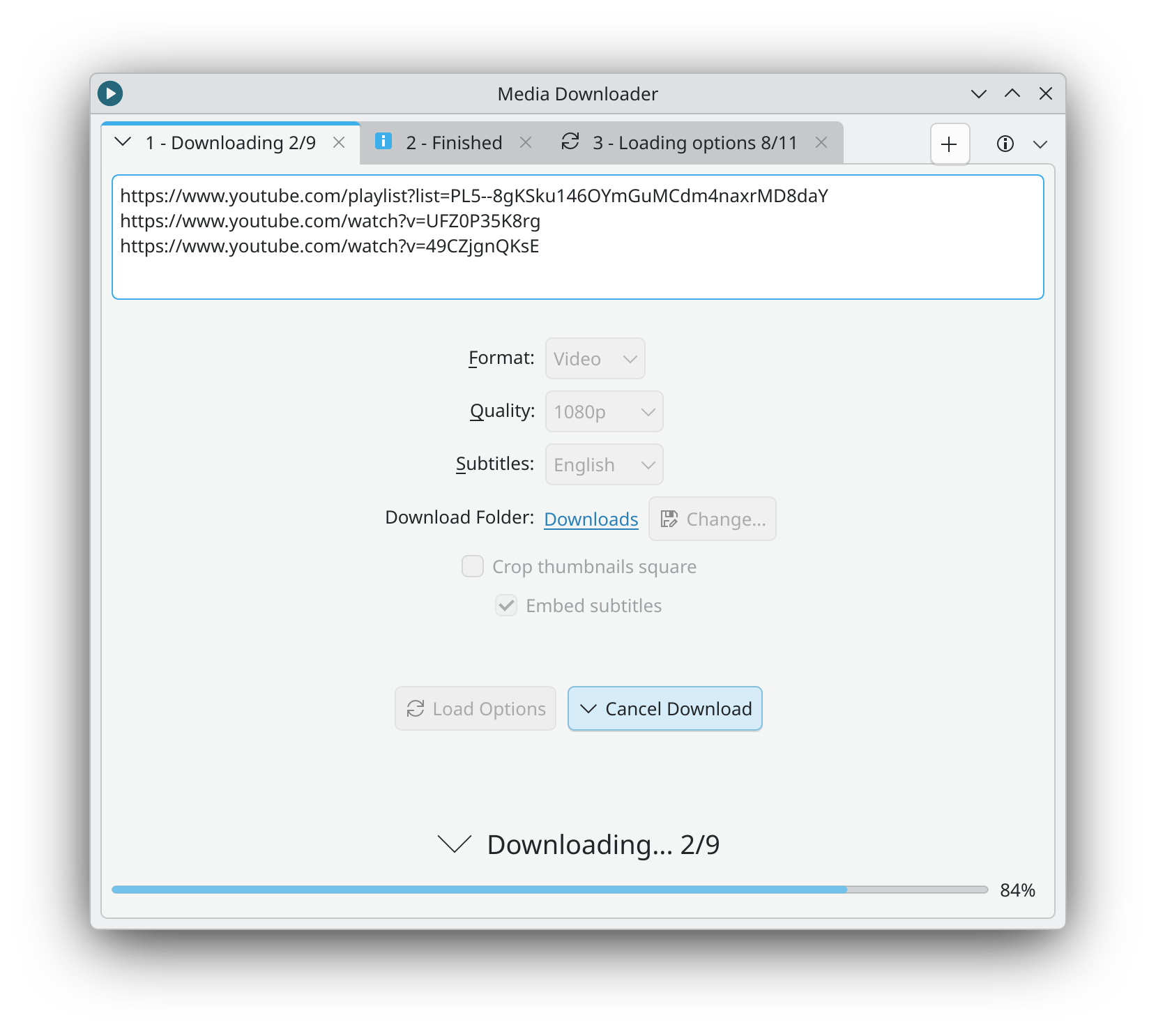
- Flexible Format Selection: Choose between downloading high-quality video files (mp4) or extracting pure audio tracks (mp3) depending on your storage and playback needs.
- Batch and Playlist Processing: Instead of copying links individually, you can download entire playlists, full channels, or process multiple URLs simultaneously.
- Advanced Metadata Integration: The software goes beyond basic downloads by embedding video chapters, custom thumbnails, and detailed metadata directly into your saved files.
- Subtitles and Audio Art Optimization: You can download and embed subtitles directly into the video file. For music enthusiasts, the built-in option to crop album art into a clean square format ensures your audio library looks pristine on any media player.
Who Is This Media Utility For?
As a specialized Linux application, this software is highly recommended for researchers, educators, and media collectors who require offline access to educational lectures, music, or independent video productions. Its ability to preserve structural data like chapters and subtitles makes it far superior to generic screen recorders or basic browser extensions. If you value metadata organization and batch processing, it offers an unmatched level of efficiency on the Linux desktop.
Our Final Verdict
Marko Pejić has created a highly functional, reliable, and privacy-respecting utility for the Linux ecosystem. By handling everything from simple audio extraction to complex channel archiving with ease, it deserves a spot in every power user's toolkit. To explore this utility further and add it to your system, head over to the official Flathub store page to get started.